

Prove Every Billable Hour. Run Teams on Real Data.
TruTimer connects time, project work, capacity, and field activity in one system — so you can validate every billable hour, catch project drift early, and lead remote and hybrid teams with proof instead of guesswork. More than a timer: one source of truth, privacy-first by design.
No credit card · Keep your Jira · Cancel anytime
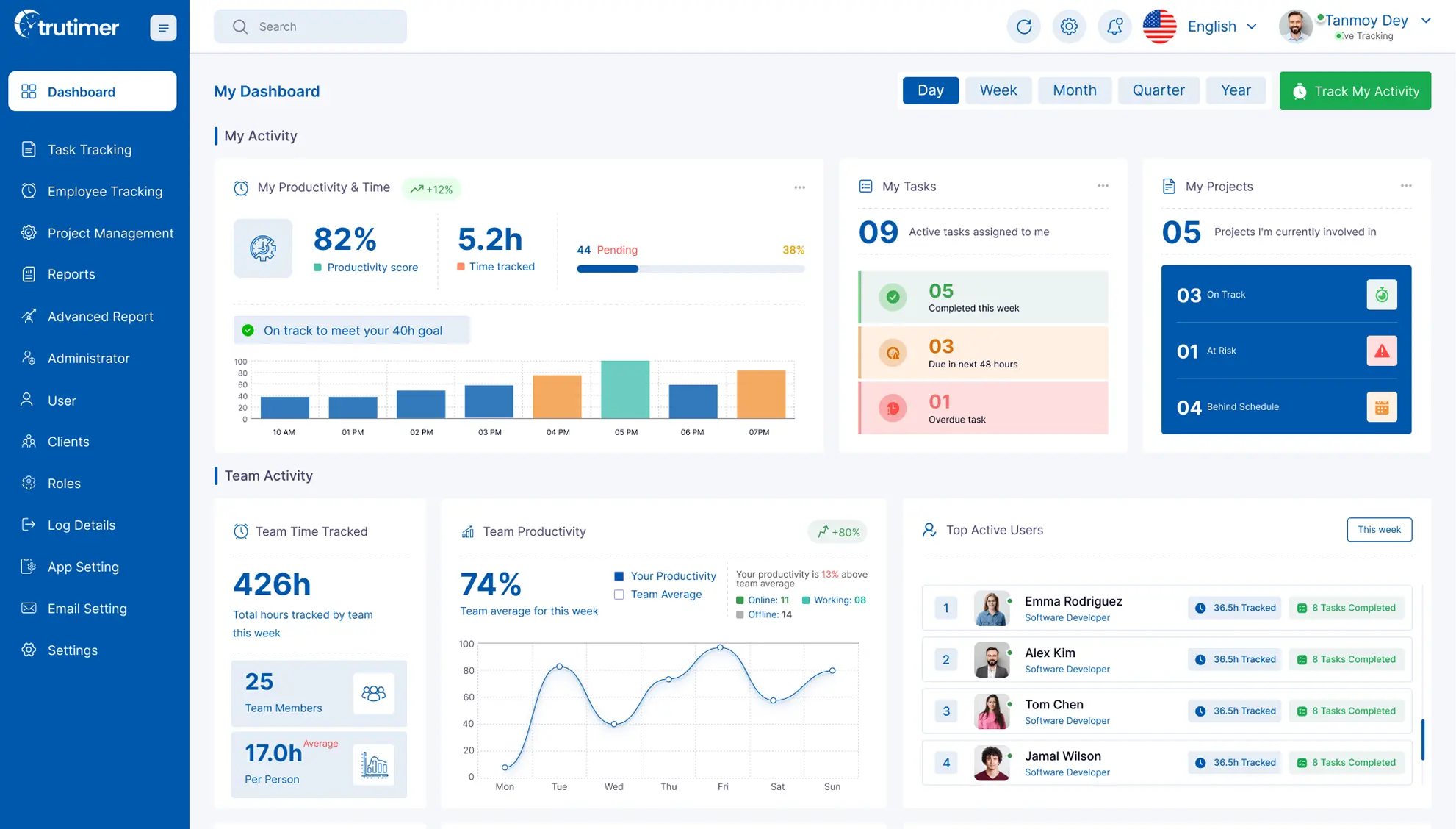
Built for software studios, agencies, BPOs, and field-service crews who bill by the hour.
You Cannot Optimize What You Cannot See
Your team's work is scattered across four or five tools that don't talk to each other — and the gaps between them are where hours leak and projects slip.
~0
of the workday goes to coordination — status updates, chasing info, meetings about meetings — not the work itself.
Source: Asana, Anatomy of Work
~0
app-switches a day for the average knowledge worker — every jump is lost focus and a chance to mistrack time.
Source: Harvard Business Review

Manual timesheets are often inaccurate
Manual timesheets often lead to inaccurate reporting, limited visibility, and operational inefficiencies.

Managers rely on assumptions instead of measurable data
Managers often rely on assumptions instead of real-time, measurable workforce data, making it challenging to accurately evaluate productivity, monitor team performance, identify operational inefficiencies, and maintain clear visibility into project progress across distributed and remote teams.

Idle time creates hidden productivity leakage
Idle time reduces productivity and impacts overall operational efficiency.

Remote and hybrid teams are difficult to monitor
Distributed teams often create visibility gaps in productivity, activity, and operational oversight.

Client billing often lacks evidence-backed validation
Client billing often lacks accurate, evidence-backed work validation and transparency.
The tools aren't the problem. The gaps between them are.
Scope drifts because the spec doesn't talk to the tickets. People burn out because workload doesn't talk to wellness. Estimates inflate because last quarter's actuals don't talk to this quarter's plan. Field work gets disputed because GPS doesn't talk to time. TruTimer puts every one of those signals on the same system — so nothing falls through the cracks.
Meet TruTimer
TruTimer automatically tracks active work, detects idle time, maps hours to projects, and turns it all into accurate reports your managers and clients can trust — no manual timesheets required.
Automatic Time Tracking
Capture work hours and activity automatically in real time — no manual timesheets, no missed minutes.
See How Work Happens
See keyboard, app, and focus activity in context — so productivity is judged on data, not guesswork.
Intelligent Idle Detection
Automatically separate active work from idle time to surface productivity leakage before it adds up.
Evidence-Backed Reporting
Turn tracked activity into accurate timesheets and reports your managers and clients can trust.
What Only TruTimer Does
Plenty of tools track time. TruTimer is the only one that connects the signals around it — so the hour you bill is backed by the work that produced it.
One connected system
Time, tasks, capacity, field GPS and a health score share the same data. A field crew's check-in and a developer's tracked hour update the same dashboard your finance team bills from.
Proof, not surveillance
Two-path approval, optional admin-controlled screenshots, activity as context — never a keystroke log or a punitive score. Visibility your team doesn't resent.
A plan you can actually ship
Draft a spec, turn it into an editable plan grid (AI-assisted or by hand, plus Excel import), and apply it in one commit. No spec-in-a-doc, tickets-somewhere-else drift.
Built for your industry
Pick Software, Agency, Construction, Healthcare, Legal or Manufacturing and start with the right task types, statuses and workflow — not generic “sprint/bug” jargon.
Simple Steps to Workforce Visibility
See how the platform captures workforce activity, tracks productivity, and delivers real-time operational visibility across teams and projects.


Employee logs in
Employees log in to begin real-time activity tracking across tasks, projects, and daily work operations.

Selects project or task
Select projects or tasks to align tracked activity with ongoing work and delivery goals.

TruTimer tracks activity in the background
Tracking runs in the background, so nobody stops work to fill in a timesheet.

Idle time is separated from active work
Idle time is separated automatically, so nobody bills for time they didn’t work. Screenshot capture is a separate setting your admin controls — not part of tracking.

Managers review reports and productivity insights
Managers review workforce reports, productivity insights, and team performance in real time.
A Single Score for “Are We Actually OK?”
Project Pulse turns the data your team already produces into a 0–100 health score — on-time delivery, velocity, blocked work, estimate accuracy, unassigned and overdue work, and schedule adherence. It's math, not a vibe, so risk surfaces while you can still act on it.
“Why did it move?” — ask, and get a plain-language answer backed by your own data.
Project health
Illustrative figure
AI That Earns Its Keep (and stays optional)
Turn a brief into a spec in minutes
Paste your project brief; TruTimer drafts a structured FRD you edit and approve.
Go from spec to a plan you can ship
Auto-suggest a task plan in an editable grid — keep what fits, change the rest, apply in one commit.
Know why a project slipped
Ask why a Pulse metric moved and get a plain-language answer backed by your own data.
AI is a button, never a gate. Every TruTimer workflow has a full manual path.
Your Bench Has Hidden Capacity. Find It. Borrow It.
People sit idle on one team while another drowns — and nobody can see it. The Resource Pool shows who is actually free across your whole org, who frees up next, and what they can do — so a spare afternoon in one team becomes shipped work in another.
-
Real-idle detection. Spots people who look busy but aren't — allocated with no tickets, blocked, or finished early — and shows the reason, not just a badge.
-
Org-wide visibility. Every lead sees spare capacity across teams — status, skills, and free-from date. No more hidden benches.
-
Freeing-up forecast. Know who frees up, and when — so the next project starts with people, not a scramble.
-
Skill-matched borrowing. Request the right free person; their lead approves; they return automatically on the date you set.
Same privacy posture as the rest of TruTimer: the pool shares status, skills, and free-date only — never screenshots, costs, or leave reasons.
See your bench in a demoMaya
UI Developer
Arun
API Developer
Priya
QA Engineer
Illustrative preview
Business Outcomes That Matter
Visibility only matters if it changes the numbers. Here’s what teams get from TruTimer — fewer wasted hours, cleaner billing, and managers who lead with facts instead of assumptions.

Reduce productivity leakage
Identify idle time and workflow inefficiencies to reduce productivity leakage and improve workforce performance.

Validate billable hours
Ensure accurate, evidence-backed billing with validated work hours and activity tracking.

Improve client trust
Build stronger client trust through transparent reporting, activity visibility, and accurate work validation.

Increase manager visibility
Give managers clearer visibility into workforce activity, productivity, and operational performance in real time.

Automate timesheet reporting
Automate timesheet reporting to improve accuracy, save time, and simplify workforce tracking.

Support remote and hybrid teams
Support remote and hybrid teams with real-time visibility into activity, productivity, and performance.
Built for Trust, Not Surveillance
Visibility shouldn’t cost you your team’s trust. In TruTimer, activity is informational context for managers — never a punitive score — and every control sits in your hands.
Screenshots off by default
Admins decide if and when screenshots are captured. Cadence is randomized within your range — never a fixed, predictable schedule.
Activity is context, not a verdict
The activity score never gates pay or work. Designers, researchers, and PMs often show “low” — and that’s perfectly normal.
Consent-first & transparent
Employees always know when tracking is active. Policies are configurable per organization, with a clear, documented setup.
You control everything
Cadence, retention, what’s captured, and what’s published — every knob is in your team’s hands, role-scoped and auditable.
No keystroke logging — and you set the rest
TruTimer never records what your team types. Activity is a context signal — not a keylogger and not a transcript of anyone’s work.
Everything else is a policy you own. Try the panel — and notice the one switch we don’t even offer.
Your tracking policy
Screenshots off · banner onThere’s no such switch in TruTimer — by design.
Interactive illustration — the real panel lives in your admin settings.
Built for Your Industry
TruTimer speaks your industry's language from day one — the right task types, statuses and workflow, not generic jargon.
Keep the Tools Your Team Already Lives In
TruTimer runs alongside Jira, Azure DevOps, Redmine, GitHub and GitLab — tracking time and surfacing health against your existing work items. No rip-and-replace, no retraining.
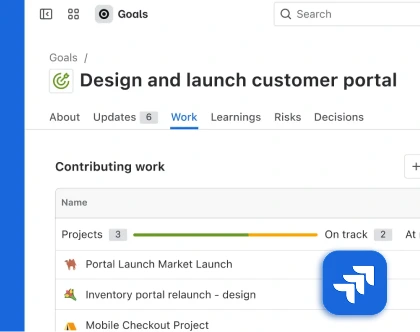
Jira
Keep your team in Jira. TruTimer tracks time against your issues and sprints — no double entry, no migration.
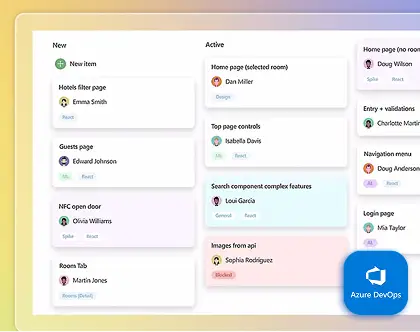
Azure DevOps
Track time against Azure DevOps work items and let your delivery workflow stay exactly where it is.
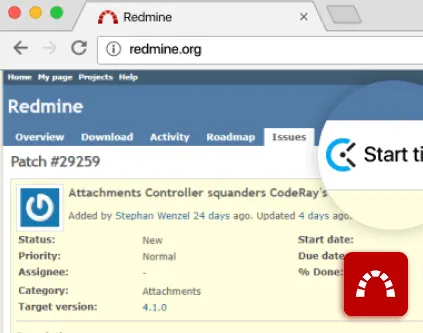
Redmine
Link tracked time to your Redmine projects and issues, with workforce visibility on top of the tracker you already run.
GitHub
Attach branches to tasks, see commits and PR status, and auto-transition work on merge — without leaving your repo.
GitLab
Connect GitLab branches and MRs to tasks and watch status follow your merges — your source control, unchanged.
Pricing That Scales With Your Team
Replace your patchwork of trackers and PM tabs with one system. Start free, grow into the plan that fits.
Illustrative scenarios
The Kinds of Outcomes TruTimer Is Built For
Representative examples of how service teams put workforce visibility to work — to validate billable hours, improve accountability, and plan with real data.
IT Services Companies
A growing IT services company used TruTimer to improve workforce visibility across remote development teams. By automating time tracking, monitoring productivity trends, and validating billable hours, the company reduced reporting errors, improved project accountability, and increased operational efficiency across client projects.
“Once tracking was automatic, our billable hours validated themselves. Reporting errors dropped sharply and clients stopped questioning our invoices.”

Operations Director
IT services company
“We finally see how time is spent across distributed teams — so managers can plan with real data instead of assumptions.”

Delivery Manager
Software services firm
Calculate Your Productivity ROI
See what visibility is worth to your team. Adjust the numbers below to estimate the productive hours and budget TruTimer can help you recover every year.
Estimated annual savings
$0
Estimates based on the inputs above.
Assumptions: 40 work hours/week across 48 paid weeks/year, plus ~1.5 hrs/person/month saved on manual timesheet admin. “Productive time reclaimed” reflects idle time and workflow inefficiencies TruTimer makes visible. Adjust any value to match your organization.
Frequently Asked Questions (FAQs)
Answering your most common queries, one at a time. For everything else, we're just a call away.
How does TruTimer support remote and hybrid teams without micromanaging?
By giving everyone the same source of truth, not by watching keystrokes. Tracking runs in the background and ties hours to tasks and clients automatically, so managers see progress and capacity — never a surveillance score. Team members get private wellness prompts when they're overloaded; whether to escalate is their call.
What are TruTimer's key integrations with common project management tools?
TruTimer integrates seamlessly with popular tools like Jira, Asana, Trello, Monday.com, Slack, and more. These integrations allow automatic time tracking linked to tasks and projects.
How does TruTimer provide verifiable data for client billing and timesheets?
TruTimer captures activity screenshots, app usage data, and precise time logs that serve as verifiable proof of work. This data can be exported for client billing and timesheet reporting.
Does TruTimer compromise employee privacy or damage team trust?
No. TruTimer is built with privacy-first principles. Screenshots and monitoring are optional, configurable by admins, and employees are always aware when tracking is active.
How does TruTimer help us improve team productivity and project profitability?
By providing real-time insights into how time is spent, TruTimer helps identify inefficiencies, optimize resource allocation, and ensure projects stay on budget.
What data security measures does TruTimer have in place to protect our organization's information?
TruTimer encrypts data in transit and at rest, isolates every tenant's data, and secures device access with client certificates and obfuscated payloads. Role-based access controls let you decide exactly who sees what.
Stop guessing. Start seeing your real workforce productivity.
Validate billable hours, see exactly where time goes, and build client trust with evidence-backed reporting — all from one platform.
No credit card required · Go live in days · Cancel anytime